 Pit
The mechanicin your pocket.
Plug a supported dongle into your car, scan, and PitMate explains the fault out loud in plain English.
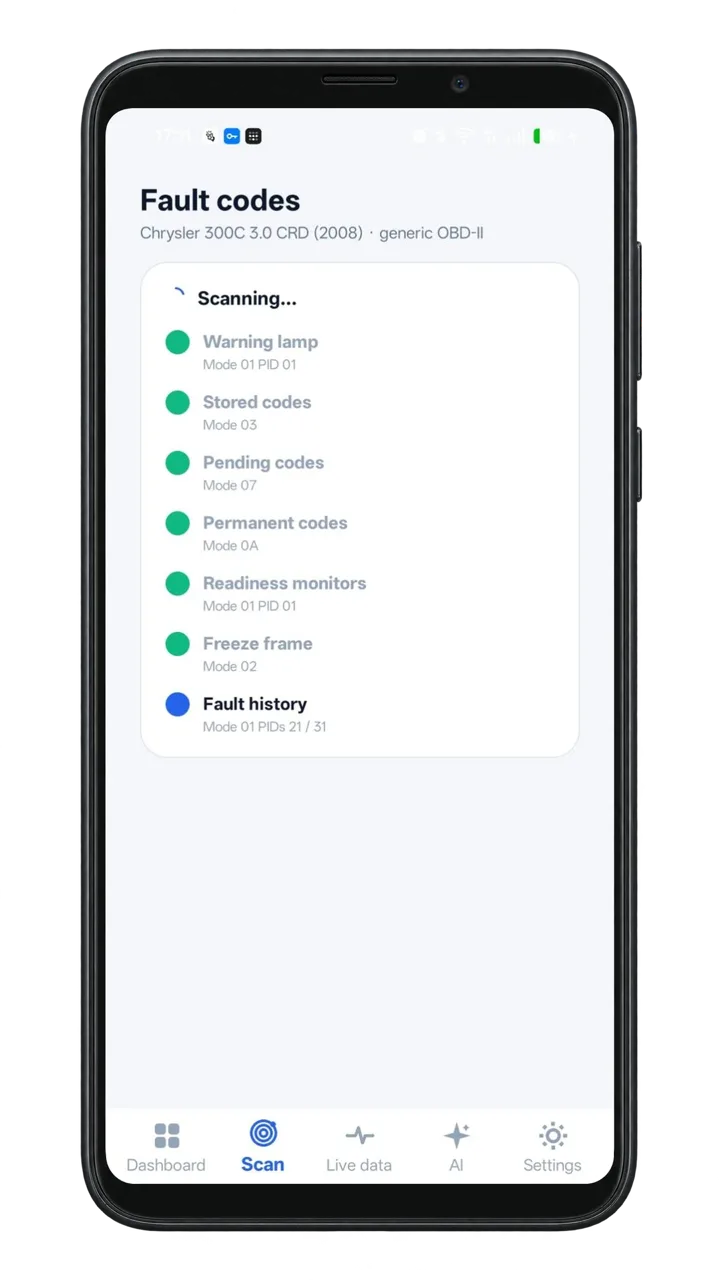
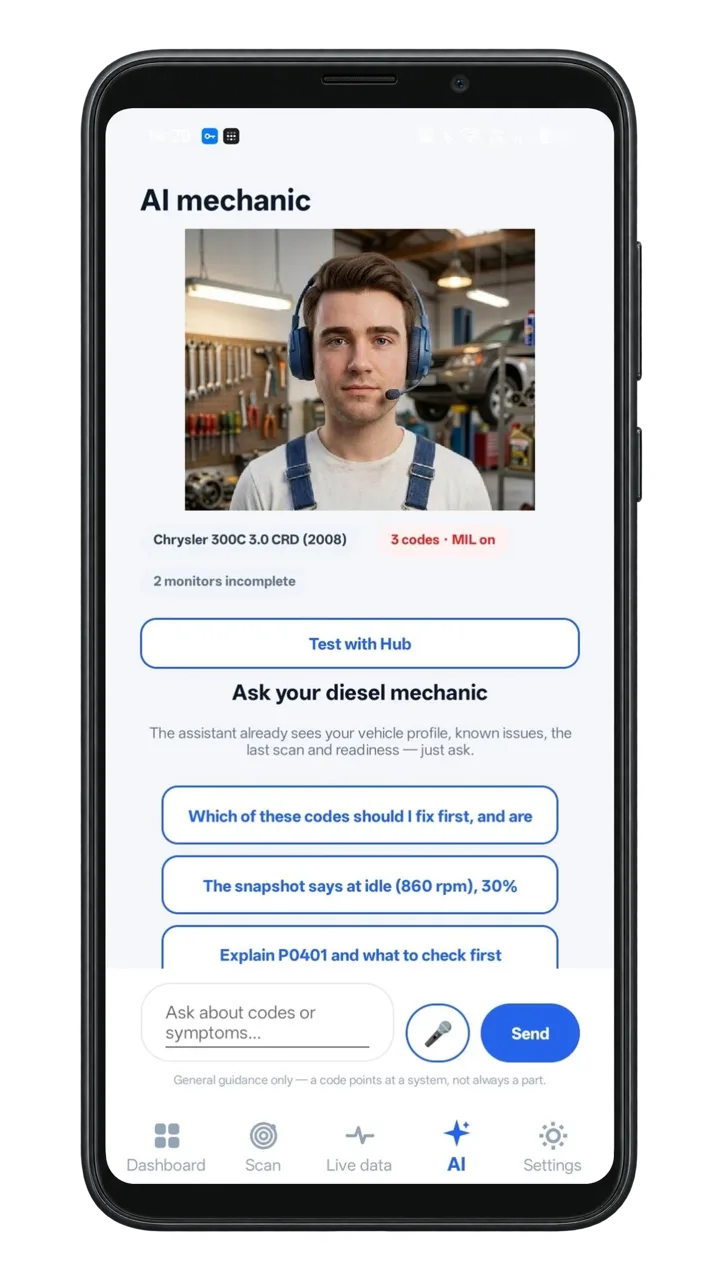
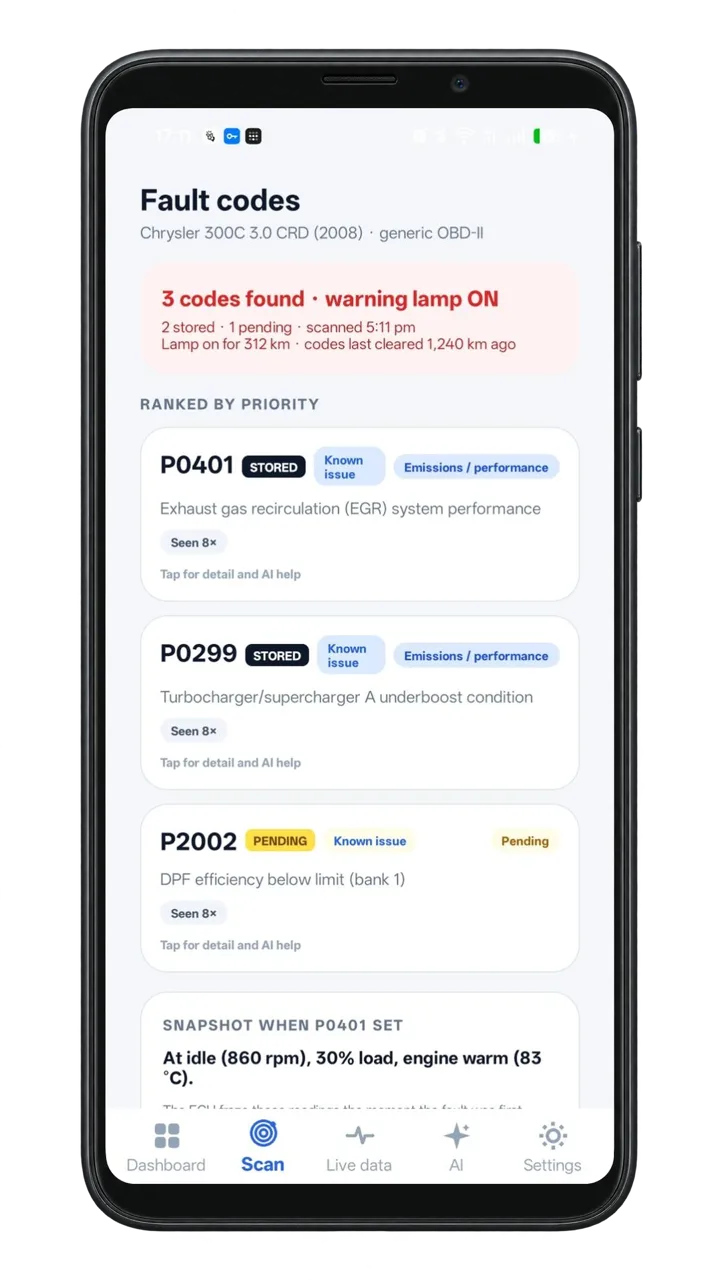
- 70,000+fault codes and descriptions in the database
- 1 monthof free AI help for every new user
- OBD-IIworks with the standard port in most cars
- Androidfirst. iPhone needs a Bluetooth LE dongle
Three steps to an answer
Plug in
Put the dongle in the 16-pin OBD-II port under the dash, switch the ignition on, and open PitMate.

Scan
Stored, pending and permanent codes, ranked by severity.
The avatar explains
It answers out loud and the text stays on screen. Ask "what does P0237 mean?"
Warning light on? Start with a clue.
The 68-second advert: scan with a dongle, Sam explains the code, and the coming-soon hub. Captions are on screen. Some footage is AI-generated illustration.
Read the transcript
When a warning light comes on, it’s hard to know what it means—or what to do next.
PitMate helps you make sense of it.
Plug a small Bluetooth adapter into your car, connect the app, and scan for fault codes.
With more than 70,000 fault codes and descriptions in its database, PitMate gives you a clear place to start.
Meet Sam, your AI mechanic.
Sam explains what a code may mean in plain English, shares common causes, and helps you decide what to check next.
A code is a clue, not a confirmed diagnosis.
PitMate helps you investigate and verify the issue before you decide on a repair.
And there’s more to come.
The PitMate hub is being developed to guide advanced tests and use live measurements, bringing new diagnostic capabilities to home users.
Want to help shape what comes next?
Register your interest in the PitMate hub beta testing programme at getpitmate.com.
PitMate: understand the fault, find the next step.
Everything you need for a first look
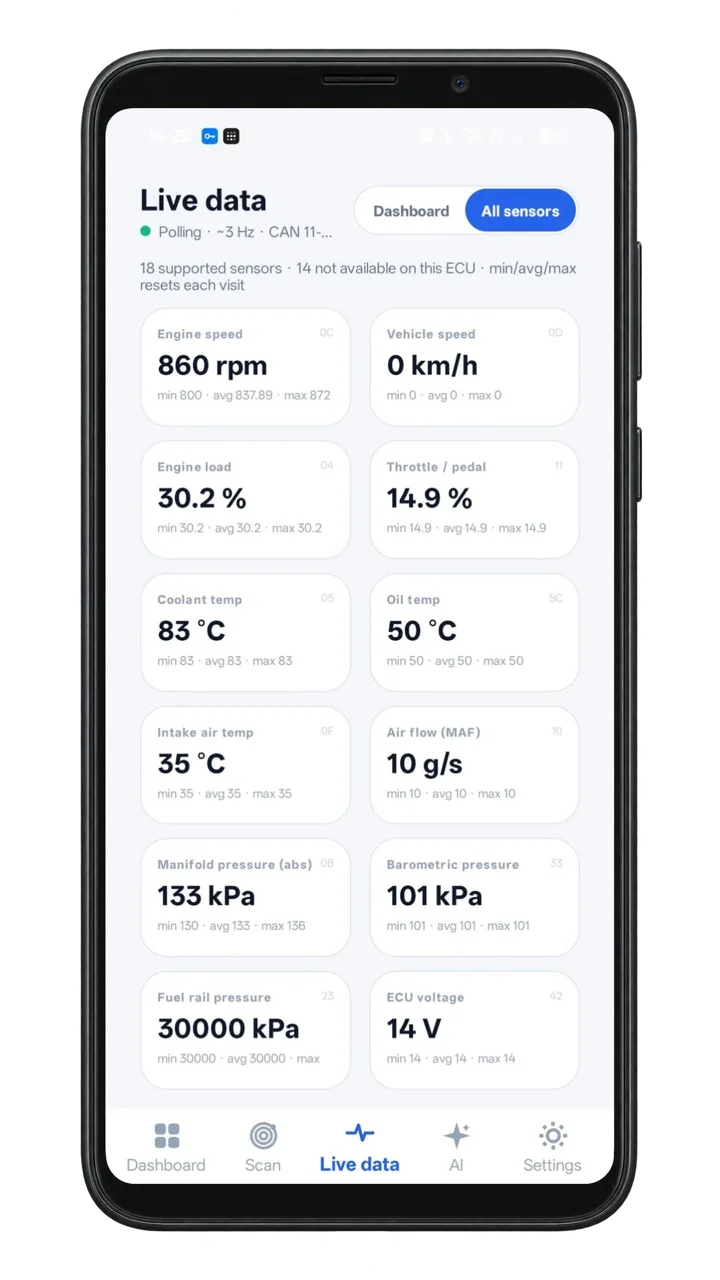
VIN garage. Scan or type a VIN and keep every car you look after.
The PitMate hub
A diagnostic hub for deeper tests is coming. It is not available yet, and you do not need it to scan, read codes or get spoken explanations. Concept images: the final app and hub may differ.
Register your interest in the hub beta
Install PitMate
Get the app from the store, then plug in a supported Bluetooth OBD-II dongle. Bring your own, or get one on Amazon.
Introductory offer: 50% off until 31 December 2026.
Includes one month of free AI help.

iPhone needs a Bluetooth LE dongle. We will say here when iPhone is ready.
- 1 · An Android phoneWith Bluetooth.
- 2 · A supported dongleBring one, or get the Vgate iCar Pro 2S.
- 3 · A car with an OBD-II portThe 16-pin socket, usually under the dash.
Vgate iCar Pro 2S
The launch dongle for stage 1. A third-party Bluetooth OBD-II adapter made by Vgate, available on Amazon so you can start with a dongle that is supported by PitMate.
Already have one? Any dongle on our supported list works.
Quick answers
How much does PitMate cost?
US$49.95. There is an introductory offer of 50% off until 31 December 2026. A new user also gets one month of free AI help. The dongle is bought separately on Amazon, at the seller's price.
What is a dongle?
A small Bluetooth adapter that plugs into your car's OBD-II port, usually under the dash. It lets your phone talk to the car.
What is the PitMate hub?
A diagnostic hub for deeper tests. It is being developed, it is not available yet, and you do not need it to use PitMate with a dongle.
Does it work offline?
Scanning and reading codes work without a connection. Spoken and AI explanations need one.
Which cars does it work with?
Most cars with an OBD-II port. Some newer Chrysler, Dodge and Jeep models (about 2018 on) restrict some functions through a security gateway. PitMate does not bypass it.
Will it work on my car?
We cannot promise it for every car. If your car has an OBD-II port and a supported dongle connects, scanning and live data should work. If something does not, tell us and include the car details.
What does the free month include?
Every new user gets one month of free AI assistance. Details to come
How do I report a fault?
Use the box below. Include your car, phone, dongle and what happened.
Please include:
- Car make, model, year and engine
- Phone model and Android or iOS version
- The dongle you used
- What happened
- The code, if there is one